Game asset workflow

Build faster with ai 3d for game development

Tripo3dai helps small teams turn references, sketches, and design ideas into a useful first pass. Use ai 3d for game development to explore more concepts before committing precious modeling time.

3
practical asset workflows
1
reviewable production starting point
0
assumptions about final quality

Where it helps

The asset bottleneck slows game development

Game development often stalls between a strong idea and a usable asset. Tripo 3d gives designers, programmers, and small studios a faster way to test shape, style, and direction.

Indie game designer

You need several prop concepts for a level but cannot spend a day modeling every variation before the art direction is approved.

Generate rough props from references, select the strongest silhouette, and give the art team a concrete brief instead of a text-only request.

3d model for unity

Solo developer

You are building a prototype and need placeholder weapons, furniture, creatures, or pickups that feel consistent enough for playtesting.

Use Tripo 3d to create a visual blockout, then replace or refine the asset after mechanics and camera scale are proven.

ai 3d for ecommerce

Small art team

A producer wants more variations for a game development sprint, but the team must protect time for hero assets, rigs, materials, and animation.

Use generated models for ideation and background content while artists reserve detailed production work for assets players will inspect closely.

3d model for unity

Practical impact

Three workflows for faster game assets

The strongest results come from using Tripo 3d as an acceleration layer around an existing game development pipeline, not as a replacement for review.

1 Turn a sketch or reference into a tangible 3D direction.
01 idea
2 Compare silhouettes and variations before detailed modeling.
02 pass
3 Send a reviewable starting asset into cleanup and engine preparation.
03 handoff
4 Inspect scale, topology, materials, and licensing before release.
04 checks

Know the boundary

What the example output still needs

A generated asset can be useful without being production-ready. These limitations matter when Tripo 3d enters a real game development schedule.

  • Topology may need cleanup

    The mesh can contain uneven density, hidden intersections, poles, or geometry that is awkward for deformation and optimization.

    WorkaroundRetopologize important assets, remove unseen faces, and create suitable low-, mid-, and high-detail versions.

  • Rigging is not automatic production rigging

    A character-like result may have the wrong proportions, unclear joints, or no animation-ready skeleton and weight painting.

    WorkaroundTreat the output as a modeling reference or blockout, then rig and test it in the tools used by your team.

  • Materials need engine review

    Textures and material assignments may not match your shader setup, channel conventions, compression targets, or lighting conditions.

    WorkaroundRebuild or validate materials in the target engine and check normal maps, roughness, UVs, and texture memory.

  • Style consistency takes direction

    Separate prompts can produce attractive assets that do not share scale, proportions, surface language, or visual identity.

    WorkaroundCreate a style guide, reuse references, define constraints, and have one person curate the final asset set.

Review before release

Compliance notes before assets ship

A fast concept pass is valuable, but game development still requires a deliberate review of ownership, originality, and technical readiness.

  • Concept pass
  • Reviewed direction

Before shipping, document the source references, confirm that your use is permitted, remove copied logos or recognizable protected designs, and keep records of the human decisions that shaped the final asset. Tripo 3d can accelerate creation, but your team remains responsible for the content it publishes.

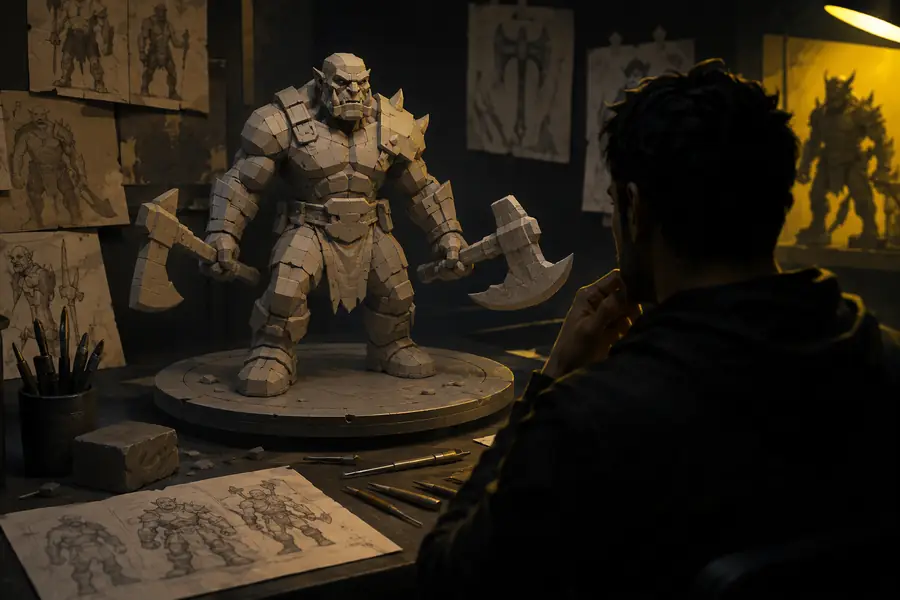
Rough 3D asset concept awaiting review
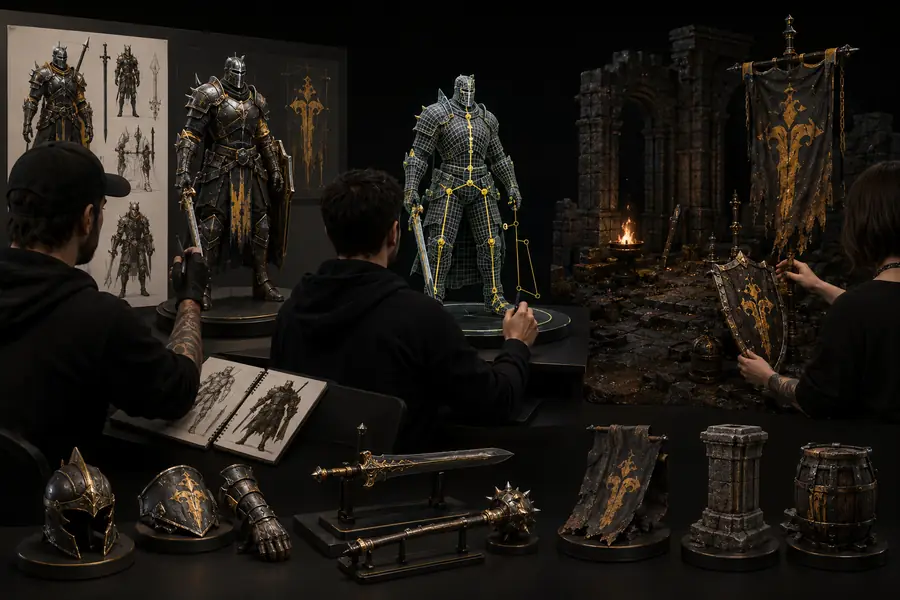
Refined 3D game asset concept prepared for a production handoff

Common questions

Game development scenario FAQ

These answers address the questions indie developers and small teams usually ask before adding AI assets to a production workflow.

When

Can Tripo 3d make a finished game-ready asset by itself?

Then

Usually, it is better treated as a first pass than a final deliverable.

The output may still require topology cleanup, UV work, texture adjustments, optimization, rigging, and engine testing.

When

Is Tripo 3d useful for an indie game with a small art budget?

Then

Yes, especially during ideation, blockouts, prototype content, and variation research.

It can reduce the time needed to communicate a visual idea, while experienced artists focus on hero assets and final polish.

When

Should I use AI-generated models directly in a commercial game?

Then

Only after reviewing the tool terms, source references, originality, and the asset's technical quality.

Commercial game development needs a clear rights and quality process; a generated result should not bypass legal or artistic review.
Simple handoff

A practical production handoff

Keep the workflow short enough for a sprint, but structured enough that a promising Tripo 3d result does not disappear without context.

  1. 1

    Define the asset brief

    Name the object, gameplay role, camera distance, target platform, style references, approximate scale, and whether the result is a blockout or a final-candidate asset.

  2. 2

    Generate and compare

    Create several directions with consistent references. Review silhouette, proportions, readability, and fit with neighboring assets before choosing one to develop.

  3. 3

    Clean and validate

    Modelers or technical artists fix topology, UVs, materials, scale, collision, and performance. Test the asset in the target engine rather than judging it only in a viewer.

  4. 4

    Record the decision

    Save the chosen reference set, edits, approvals, and rights checks with the asset. This makes future iteration and team handoff far easier.